If you still connect your iPhone to your car with a USB cable every time you want to use CarPlay, DrivePair Wireless CarPlay is designed to make that process more convenient. The concept is simple: use a compact adapter to convert a compatible wired CarPlay connection into a wireless one, allowing your iPhone to connect without keeping a cable plugged into the dashboard.
But does DrivePair actually make everyday driving easier? Is the setup complicated? How reliable is the connection? And, most importantly, is it suitable for your vehicle?
This detailed DrivePair Wireless CarPlay review looks at how the adapter works, its potential advantages, setup process, compatibility considerations, everyday usability, and the things you should check before ordering.
What Is DrivePair Wireless CarPlay?
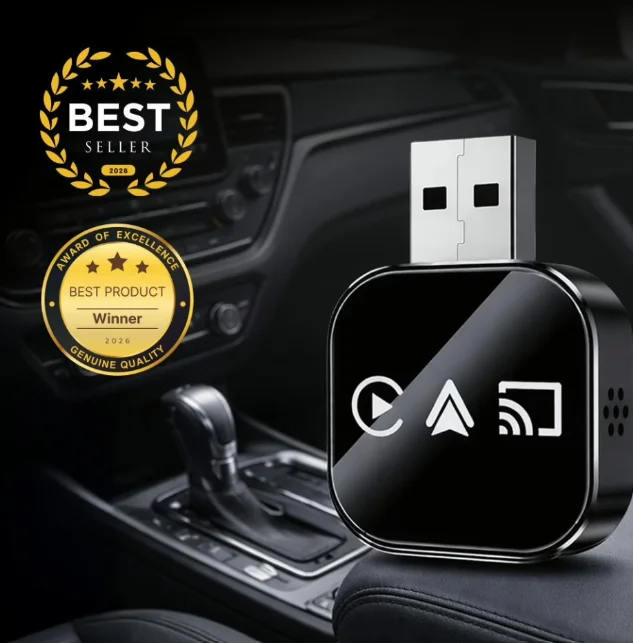
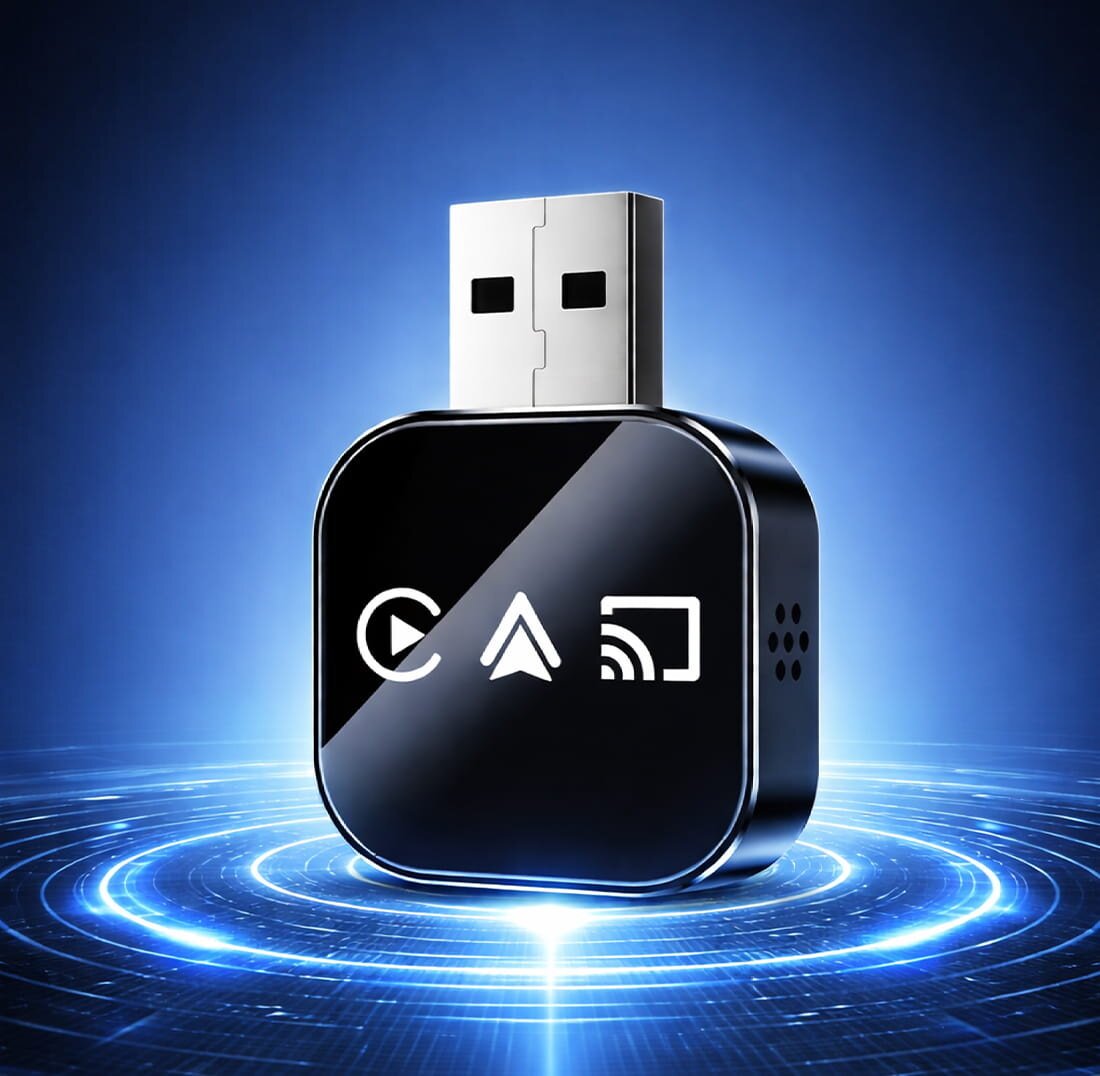
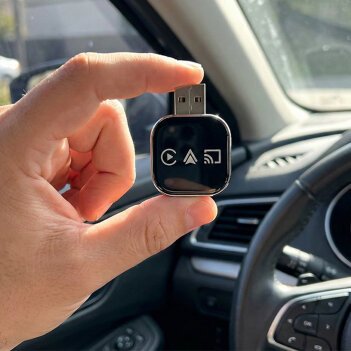
DrivePair Wireless CarPlay is a small automotive adapter designed for vehicles that already support wired Apple CarPlay.
Rather than replacing your vehicle’s infotainment system, the adapter works as an intermediary between your car and iPhone. Once configured, your phone can communicate with the vehicle wirelessly instead of requiring a USB cable every time.
This can be particularly useful for drivers who frequently make short trips. Instead of searching for a cable, plugging in the phone, and disconnecting it when they arrive, the wireless connection can make the process much more seamless.
The important point is that an adapter such as DrivePair generally isn’t intended to add CarPlay to a vehicle that doesn’t already have compatible wired CarPlay. Checking vehicle compatibility before purchasing is therefore essential.
Why Wireless CarPlay Can Be Useful
Wired CarPlay already provides many useful features, including navigation, music, calls, messages, and access to compatible apps through the vehicle’s display.
The biggest difference with wireless CarPlay is convenience.
With a compatible setup, you can:
- Connect your iPhone without a USB cable
- Access navigation through the car’s display
- Listen to music and podcasts
- Make hands-free calls
- Use Siri for voice commands
- Keep the center console less cluttered
- Avoid repeatedly connecting and disconnecting your phone
For people who use CarPlay every day, eliminating one small step from every journey can make a noticeable difference.
DrivePair Wireless CarPlay Features
Although exact specifications can vary by product version, the main appeal of DrivePair is its compact wireless CarPlay functionality.
1. Wireless iPhone Connectivity
The primary purpose of the adapter is to provide a wireless connection between a compatible CarPlay-enabled vehicle and an iPhone.
Once the initial pairing process has been completed, subsequent connections can be much more convenient than traditional wired CarPlay.
2. Compact Design
Car adapters are generally designed to remain connected to the vehicle’s USB port without taking up much space.
A compact adapter can be especially useful because it doesn’t interfere significantly with the dashboard or surrounding controls.
3. Access to CarPlay Functions
Wireless conversion doesn’t fundamentally change what CarPlay does. Depending on the vehicle and iPhone, users can continue using familiar CarPlay functions such as:
- Apple Maps
- Phone
- Messages
- Music
- Podcasts
- Siri
- Other CarPlay-compatible applications
4. Cable-Free Dashboard
One underrated advantage is a cleaner interior.
A USB cable hanging from the infotainment system can become inconvenient, especially when the phone is placed elsewhere in the vehicle. A wireless adapter reduces the need for that cable during normal CarPlay use.
5. Simple Everyday Operation
After initial setup, the goal is for the connection process to become almost automatic. This makes the adapter particularly appealing to drivers who don’t want to manually configure their infotainment system every time they enter the vehicle.
How Does DrivePair Work?
The technology behind wireless CarPlay adapters is relatively straightforward.
Your vehicle’s infotainment system communicates with the adapter through the existing wired CarPlay interface. The adapter then establishes a wireless connection with your compatible iPhone.
In simplified terms:
Car USB Port → DrivePair Adapter → Wireless Connection → iPhone → CarPlay Display
The adapter essentially acts as a bridge between the vehicle’s wired CarPlay system and the phone’s wireless connection.
This is why compatibility matters so much. If the vehicle doesn’t already provide the required wired CarPlay functionality, a wireless adapter may not be able to create CarPlay from scratch.
DrivePair Wireless CarPlay Setup
One of the biggest questions potential buyers have is whether installation requires professional assistance.
For a compatible vehicle, the process is generally intended to be straightforward.
Step 1: Connect the Adapter
Plug DrivePair into the appropriate USB port used by your vehicle’s wired CarPlay system.
Step 2: Turn on Bluetooth and Wi-Fi
On your iPhone, make sure Bluetooth and Wi-Fi are enabled.
Step 3: Pair the Devices
Follow the pairing instructions supplied with the adapter. Your iPhone should detect the wireless connection during the setup process.
Step 4: Allow CarPlay
When prompted, approve the CarPlay connection on your iPhone.
Step 5: Test the Connection
Once paired, check that navigation, audio, calls, and other CarPlay functions work correctly through the vehicle’s display.
After the initial setup, future connections may occur automatically when you start the vehicle, depending on the car, phone, and adapter.
DrivePair Performance: What Should You Expect?
The biggest benefit of wireless CarPlay isn’t necessarily additional functionality. Instead, it’s the change in everyday convenience.
A good wireless CarPlay adapter should provide a stable connection without requiring constant reconnecting. Audio should remain usable, navigation should respond normally, and the CarPlay interface should behave similarly to the wired experience.
However, wireless performance can depend on several factors, including:
- Vehicle infotainment system
- iPhone model
- iOS version
- Bluetooth and Wi-Fi conditions
- USB connection
- Vehicle software
- Adapter firmware
Therefore, no wireless adapter should be assumed to work identically in every vehicle.
DrivePair Compatibility: Check This Before Ordering
This may be the most important part of the entire purchase decision.
DrivePair should not automatically be considered compatible with every car.
Before ordering, verify that your vehicle already supports wired Apple CarPlay through the relevant USB connection.
You should also check:
- Your vehicle’s make and model
- Model year
- Existing infotainment system
- Whether wired CarPlay currently works
- Your iPhone model
- The adapter’s current compatibility requirements
If your vehicle only has Bluetooth audio or an older infotainment system without CarPlay, a wireless adapter designed to convert wired CarPlay may not solve the problem.
When in doubt, checking the manufacturer’s current compatibility information before purchasing is the safest approach.
DrivePair Wireless CarPlay Pros and Cons
Every technology has advantages and limitations. DrivePair is no exception.
Pros
- Wireless CarPlay convenience
- No regular USB cable connection required
- Compact form factor
- Potentially easier daily operation
- Keeps the dashboard and center console cleaner
- Useful for frequent CarPlay users
- No major vehicle modification is typically required for an adapter-based setup
Cons
- Requires a compatible wired CarPlay system
- Wireless performance can vary between vehicles
- Initial pairing is still required
- Doesn’t necessarily add CarPlay to unsupported vehicles
- The adapter occupies the vehicle’s USB connection
Understanding these limitations can help prevent unrealistic expectations.
Is DrivePair Better Than Wired CarPlay?
That depends on what you value.
Wired CarPlay has the advantage of simplicity: plug in the phone and use it. It can also charge the phone through the cable.
Wireless CarPlay, on the other hand, prioritizes convenience. You don’t need to physically connect the phone every time you get into the car.
For someone who takes long trips and wants the phone charging continuously, wired CarPlay may still be preferable.
For someone who frequently makes short drives and dislikes connecting a cable repeatedly, wireless CarPlay can be considerably more convenient.
Does Wireless CarPlay Drain Your Phone Battery?
Potentially, yes.
When your iPhone is connected wirelessly to CarPlay, it is using wireless communication rather than receiving power through a USB cable. Depending on how long you drive and what you’re doing on the phone, battery consumption can therefore become more noticeable than with wired CarPlay.
A separate charging solution, such as a compatible wireless charging pad or USB charger, can be useful for longer journeys.
Who Should Consider DrivePair?
DrivePair may be worth considering if you:
- Already have wired Apple CarPlay
- Use an iPhone regularly in your vehicle
- Want to eliminate the CarPlay cable
- Frequently make short trips
- Prefer a cleaner dashboard
- Don’t want to replace your factory infotainment system
It may be less suitable if your vehicle doesn’t support wired CarPlay or if you specifically need a solution that adds CarPlay to an older, unsupported infotainment system.

Final Verdict
DrivePair Wireless CarPlay focuses on one simple improvement: making compatible wired CarPlay systems wireless.
Its appeal comes from convenience rather than dramatically changing the capabilities of your vehicle. Once properly configured, a wireless connection can eliminate the repetitive task of plugging your iPhone into the car every time you drive.
However, compatibility should remain the first consideration. Before purchasing, confirm that your vehicle already supports wired Apple CarPlay and that your particular car and iPhone meet the adapter’s requirements.
For compatible vehicles, DrivePair can be an appealing option for drivers who want a cleaner, more convenient CarPlay experience without replacing their factory infotainment system.
Bottom line: If your car already has wired Apple CarPlay and your main frustration is having to connect a USB cable every time, a wireless adapter such as DrivePair could be a practical upgrade worth considering.